
Mining display brightness should be specified by what the operator must recognize under the actual light falling on the finished screen. A luminance value measured on a bare LCD in a dark laboratory does not describe the contrast available through cover glass, touch layers, dust, reflections, cab windows, or direct sun.
Lighting changes during one shift. A surface drill may operate from before sunrise through midday sun to dusk. An underground loader can move between a dark heading, work lamps, reflective wet rock, and a portal. In a controlled remote room, excessive brightness can be more harmful than insufficient peak output.
For this reason, mining display brightness is a range and a control strategy rather than one maximum-nit target. The design must create readable contrast during bright conditions, dim low enough for night work, preserve alarm distinctions, manage backlight heat and power, and recover to the correct setting after every restart.
Quick Answer: Approximately 300 to 500 cd/m² can be a starting point for controlled indoor or underground stations; 500 to 800 cd/m² can suit shaded machinery panels and many enclosed cabs; 800 to 1,000 cd/m² may be evaluated for surface-equipment cabs exposed to strong daylight; and 1,000 to 1,500 cd/m² or more may be needed where direct sunlight reaches the display. These are engineering starting ranges, not pass criteria. Final readability depends on reflected light, optical bonding, touch and cover-glass transmission, anti-glare or anti-reflective treatment, viewing geometry, HMI design, dimming range, temperature, contamination, and measured ambient contrast on the production assembly.
Claim: The correct mining display brightness is the lowest controlled output that preserves required contrast and recognition across every approved operating condition.
1. Which Mining Lighting Transitions Set the Brightness Requirement?
A mining display rarely remains under one stable illuminance. The most demanding point may occur when sunlight passes through a side window, when work lamps reflect from dust or wet rock, or when an operator looks from a bright exterior toward a screen mounted in cab shadow.
Direct answer: Engineers should identify every transition between dark, diffuse daylight, directed work lighting, and direct sun. The brightness requirement comes from the condition with the lowest usable contrast, while the dimming requirement comes from the darkest credible condition.
What Happens in an Enclosed Underground Cab?
An underground cab may appear dark, but the display can face reflections from roof lights, instrument lamps, wet surfaces, reflective clothing, and illuminated tunnel walls. Dust on the outer glass can scatter these sources and reduce dark-area contrast.
A moderate peak luminance may be sufficient when reflections are controlled. The more important requirements may be a low minimum setting, smooth dimming, readable low-level alarms, and the absence of a bright rectangle that reduces the operator’s ability to see beyond the cab.
Why Are Mine Portals and Transition Zones Difficult?
At a portal, the operator and display can experience very different light levels within seconds. The eyes may adapt to the bright exterior while the screen remains shaded, or direct sun may reach the cover glass before the cab enters open ground.
A display that works underground can wash out at the portal, while its outdoor setting can become excessive after re-entry. Transition speed belongs in the brightness requirement.
What Does a Surface-Machine Cab Add?
Surface equipment combines wide sky illumination, direct sun, reflections from pale ground, cab glass, protective films, dust, and changing machine orientation. A display mounted beneath a hood may need less luminance than one receiving sunlight through a side window.
The requirement should reflect installation direction and operator eye point. A shaded vertical screen, inclined console, and open-cab display face different reflected-light loads.
How Do Work Lamps and Night Operations Affect Brightness?
Night work does not mean uniform darkness. Headlamps and task lights can create bright local surfaces while the wider field remains dark. A bright HMI can reflect in windows or compete with the view outside the cab.
Night mode should reduce both backlight and visual intensity. Large white page backgrounds, saturated status colors, camera overlays, and warning dialogs must remain controlled so that one page change does not produce a sudden burst of light.
Why Is a Remote Operations Room a Different Case?
A remote station may use several monitors for machine controls, live video, maps, alarms, and fleet information. Room lighting can be managed, so extremely high peak luminance is rarely the primary need. Uniformity between screens and comfortable long-duration viewing become more important.
One overly bright monitor can impair viewing of adjacent dark camera images. Brightness should be coordinated across the workstation.
| Mining Display Location | Initial Evaluation Range | Dominant Optical Risk | Required Evidence |
|---|---|---|---|
| Remote room or controlled indoor station | 300–500 cd/m² | Long-duration viewing and screen mismatch | Task recognition, uniformity, minimum and normal settings |
| Underground cab or shaded machinery panel | 300–800 cd/m² | Work-lamp reflection, wet surfaces, dust | Night dimming, reflection control, dirty-screen task test |
| Enclosed surface-machine cab | 500–1,000 cd/m² | Sky illumination, window reflections, changing orientation | Installed-angle contrast across route and time of day |
| Direct-sun or open-station display | 1,000–1,500 cd/m² or more | Direct surface illumination and heat | Production-stack ambient contrast and thermal test |
These ranges are procurement starting points only. A lower-luminance display with low reflection and a well-designed HMI can outperform a higher-nit assembly with reflective cover glass. The screen size and viewing geometry should also be reviewed through What Display Sizes Are Common in Mining Equipment?.
Claim: Mining brightness requirements should cover the darkest operating state, the highest-reflection state, and the transition between them.
2. Where Does Readable Contrast Disappear in the Display Stack?
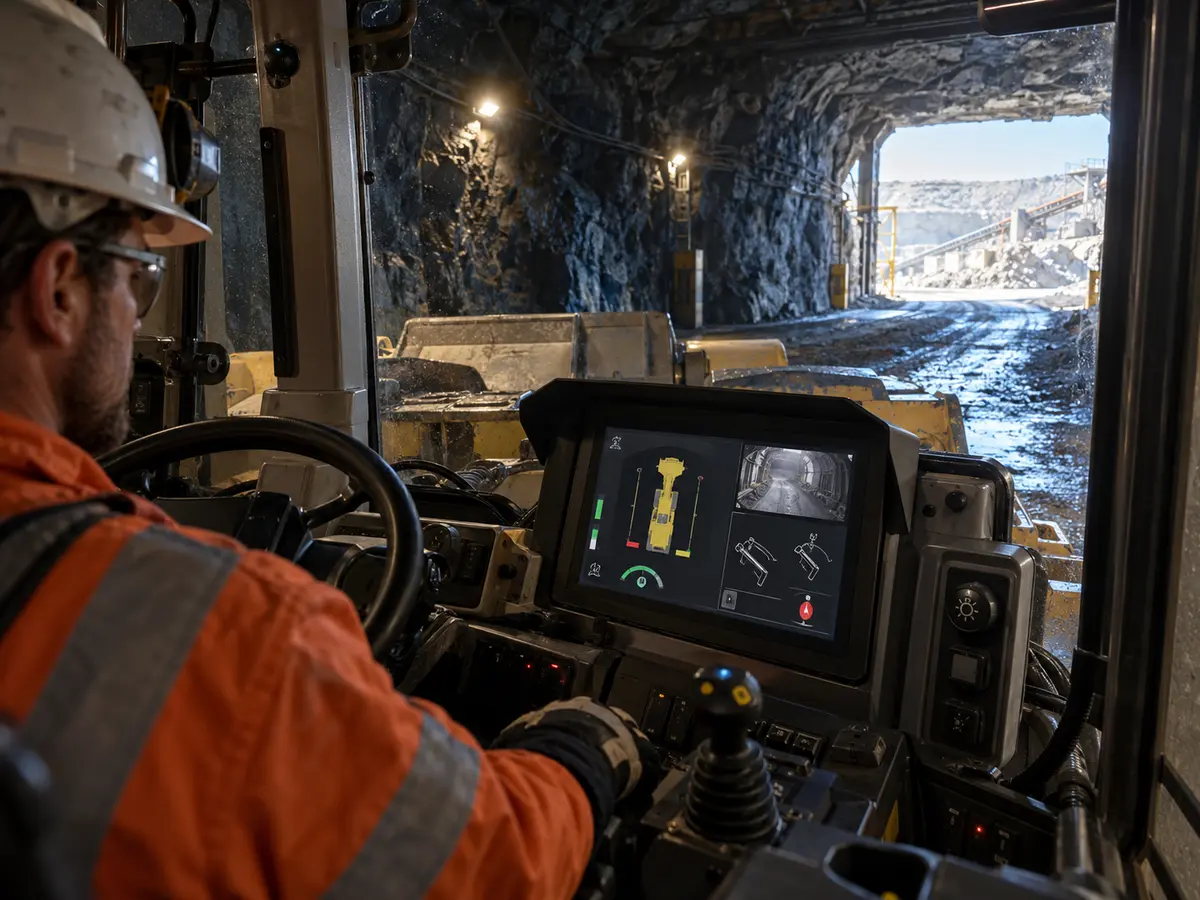
The LCD backlight creates emitted luminance. Every layer above it can reduce that light, while every exposed surface can reflect ambient illumination back toward the operator. Readability is the result of these competing paths.
Direct answer: Engineers should treat the display as an optical stack consisting of the LCD, polarizers, air gaps or bonding material, touch sensor, adhesives, cover glass, coatings, contamination, bezel geometry, and installed viewing angle. Peak luminance alone measures only one contributor.
Why Can More Nits Fail to Produce Better Readability?
If the cover surface reflects a bright sky or cab window, reflected luminance can fill the image’s dark areas. More backlight may brighten white symbols, but it does not remove the background reflection.
This is why on-screen contrast should be assessed under ambient light. The operator needs to distinguish the required symbol, state, alarm, trend, or camera feature—not simply observe that the backlight is on.
How Does an Air Gap Affect the Optical Budget?
Interfaces between materials with different refractive properties can create internal reflections. A conventional air gap between LCD and touch or cover glass can therefore reduce apparent contrast in bright conditions and introduce parallax between the visible object and touch surface.
Air bonding may suit projects prioritizing replaceability or simpler assembly, but its bright-light result must be tested in the intended stack.
What Can Optical Bonding Change?
Optical bonding fills an internal gap with a transparent material, which can reduce internal reflections and improve perceived contrast. It can also reduce visible parallax and limit the space where condensation or particles could appear between layers.
Bonding is not a substitute for system validation. Material, thickness, stress, temperature behavior, rework strategy, LCD structure, touch performance, and cover-glass design must be coordinated. The production bond should be used for final optical measurements.
How Do Anti-Glare and Anti-Reflective Treatments Differ?
Anti-glare treatment spreads reflected light so that a sharp mirror image becomes less distinct. This can make a reflection less distracting, but excessive haze can soften small text and bright pixels. Anti-reflective treatment aims to reduce reflected energy through a coating system.
The choice depends on light direction, cleaning, abrasion, image detail, and cover-glass construction. View samples under representative sunlight, work lights, and cab-window reflections.
How Do Dust, Mud, Water, and Fingerprints Change the Result?
Surface contamination scatters light and creates irregular bright regions. Fine dust can lower contrast across the screen, while water or oily fingerprints can produce local reflections that cover small symbols and touch targets.
The brightness requirement should include a defined service condition, cleaning state, and maintenance method. Testing a perfectly clean sample alone can overstate field readability.
Why Must Polarized Eyewear Be Tested?
LCDs and some cover constructions alter polarized light. Depending on screen orientation, viewing angle, and sunglasses, the image can darken or change color.
Use the eyewear actually permitted at the mine and test every intended seating and standing position. A high nit rating cannot correct a near-black viewing combination caused by polarization.
How Does HMI Design Protect the Contrast Budget?
Large text, adequate stroke width, restrained color use, clear state shapes, uncluttered alarm presentation, and stable page hierarchy reduce the contrast required for recognition. Fine gray lines, low-contrast labels, and color-only status coding consume optical margin.
Brightness cannot repair an overloaded page. The primary operating view should reserve the strongest contrast for information that changes the operator’s next action.
Claim: Sunlight readability is an ambient-contrast result produced by the complete optical stack, surface condition, viewing geometry, and HMI—not a synonym for high backlight luminance.
3. How Should Brightness Change During a Mining Shift?
A mining display must often span a wider operating range than a fixed office monitor. The user may need strong daytime output, a low night setting, and predictable behavior during portals, work-lamp changes, ignition cycles, and temporary sensor obstruction.
Direct answer: Brightness control should provide defined minimum, normal, and maximum levels; a smooth response to changing light; manual adjustment where required; stored or commanded startup behavior; and a safe response when the light sensor or control communication fails.
What Makes a Useful Dimming Range?
The range should prevent washout in bright conditions and glare in darkness. The minimum must preserve readable alarms and controls; the maximum must remain within thermal and electrical limits.
A headline contrast ratio such as “1000:1” does not describe this operating range. That panel specification is normally measured under controlled conditions and should not be confused with contrast on a sunlit or contaminated display.
How Should Automatic Brightness Control Behave?
An ambient-light sensor can help the display follow changing conditions, but its location matters. A sensor shaded by the dashboard may not detect sunlight on the screen, while a sensor exposed to a passing lamp may command an unnecessary brightness jump.
The control should use suitable filtering, delay, hysteresis, and rate limits so that brightness does not hunt or flicker. The sensor response should be evaluated while the machine turns, passes lights, enters a portal, and accumulates dust.
When Is Manual Control Still Needed?
Operators may need a documented override for unusual reflections, eyesight differences, night tasks, or a degraded sensor. The control should be reachable without hiding the primary operating page or requiring a long menu sequence.
Manual adjustment needs defined limits. A user should not be able to dim required information to invisibility or force a thermally restricted backlight beyond the approved operating condition.
What Should Happen After Ignition or Power Recovery?
The display should return to a defined brightness after cold start, engine crank, reset, restart, or supply interruption. The state may come from stored data, a machine command, a sensor, or a controlled default.
Control authority must be clear. The display controller, HMI, vehicle controller, and physical buttons should not issue competing commands after recovery.
How Do PWM and Backlight Control Affect the System?
Many LCD backlights use pulse-width modulation or another driver-control method. Frequency, duty range, polarity, minimum stable level, control voltage, cable route, and grounding must match the panel or driver design.
Brightness control is therefore part of the display interface and power architecture. Related host, controller, cable, and startup boundaries are covered in What Display Interfaces Are Used in Mining Equipment?.
Why Should Camera Images Be Checked at Every Brightness Level?
A dim setting that preserves vector graphics may hide low-contrast details in a camera view. A high setting can lift dark areas but cannot restore information lost through camera exposure, network compression, lens contamination, or display reflection.
Camera identity, overlays, warning zones, and required scene details should be checked independently at day, twilight, and night settings. Display dimming and camera exposure should not be treated as the same control.
Claim: Mining brightness control is a state machine with sensor, operator, controller, startup, failure, and thermal inputs—not merely a backlight slider.
4. How Should Engineers Validate Brightness Along the Operating Route?
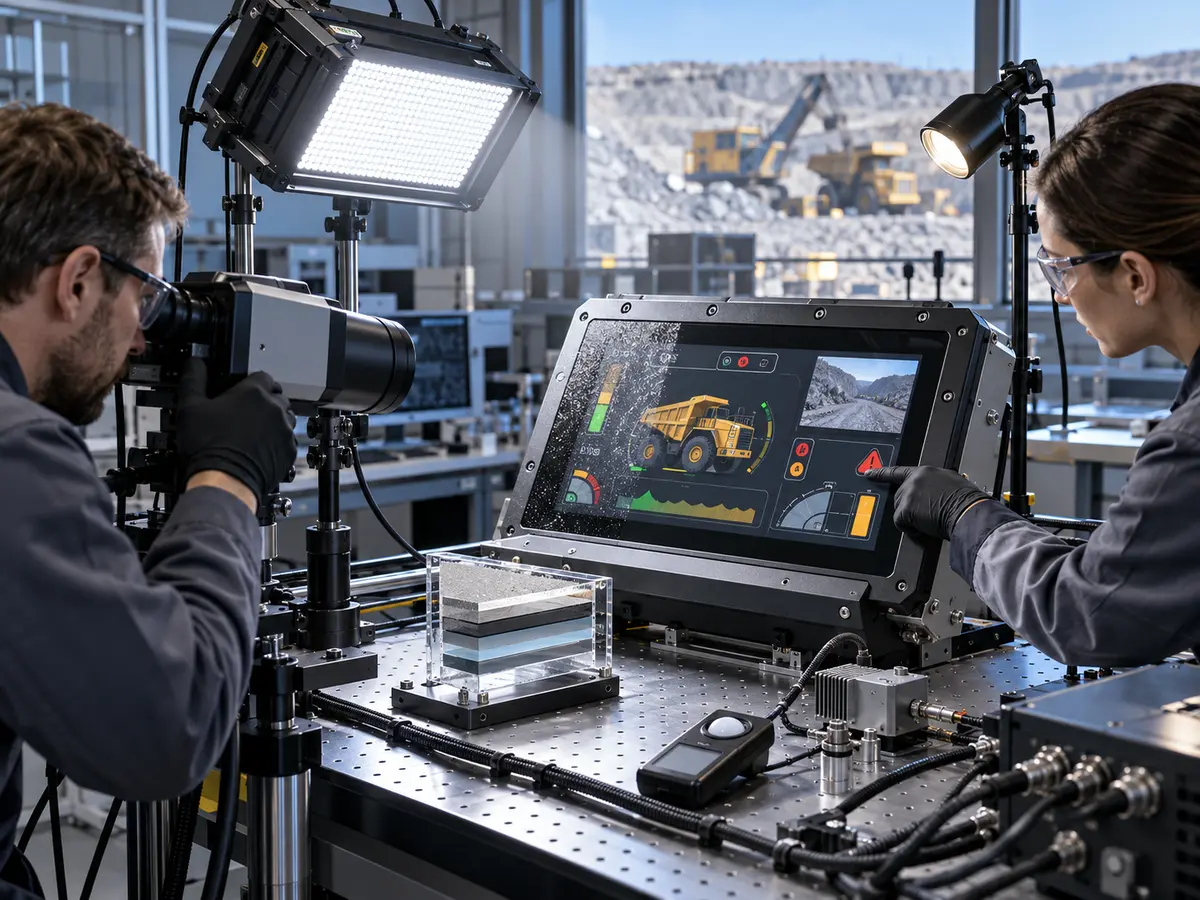
A single sunlight photograph cannot approve a mining display. Cameras alter exposure, tone, and reflections, while the operator’s eyes adapt continuously. The test must combine photometric measurements with defined recognition tasks on the production-intent assembly.
Direct answer: Map the worst lighting points along the machine or operator route, reproduce or visit them at credible times, measure light at the screen and luminance toward the eye position, run task-based readability checks, and repeat with production glass, touch, bonding, coatings, contamination, temperature, dimming, power, and software.
How Should the Lighting Route Be Documented?
Record the display location, machine orientation, time of day, season where relevant, sun direction, cab-window path, work lamps, tunnel surfaces, portal transitions, operator eye points, and expected screen contamination. Photographs can document geometry but should not replace measurements.
For a fixed plant panel, the route may consist of user approach directions and maintenance positions. For a mobile machine, it can include travel headings, loading orientation, dumping position, underground headings, portals, and service bays.
What Should Be Measured on the Finished Assembly?
Measure screen luminance at defined settings, illuminance on the display surface, and reflected or effective contrast from relevant viewing directions using appropriate instruments and procedures. Record the HMI page, color state, glass, coating, touch stack, and surface condition used.
Bare-panel luminance remains useful for incoming inspection, but it cannot replace the assembly result. The acceptance record should state whether the value was measured at the LCD surface, through the final stack, or inferred from a supplier specification.
Which Recognition Tasks Should Be Used?
Ask representative users to identify machine mode, distinguish alarm priority, read the smallest permitted value, find an abnormal trend, operate a required control, interpret a camera region, and recognize invalid data. Each task should match the screen’s responsibility.
Test from each intended eye point and with permitted polarized eyewear. Record errors, hesitation, repeated touches, head movement used to avoid glare, and any condition in which the operator must shield the screen by hand.
How Should Contamination and Cleaning Be Included?
Define a repeatable layer of representative dust, fingerprints, water spotting, or other permitted contamination rather than applying an uncontrolled dirty condition. Run the required tasks before and after the approved cleaning method.
This establishes both the usable maintenance interval and the optical recovery after cleaning. It can also reveal coatings that are damaged, smeared, or made reflective by an unsuitable chemical or cloth.
How Do Temperature, Power, and Backlight Aging Affect the Result?
High ambient temperature and solar load can increase internal temperature and may require backlight derating. Low temperature can change LCD response, backlight output, or startup behavior. Both should be evaluated in the installed thermal design.
High-brightness operation increases electrical and thermal demand. Verify the supply, driver, cable, heat path, controller, and dimming at maximum output. Base backlight-life planning on the approved duty cycle and supplier conditions.
What Should Remain Under Configuration Control?
Control the LCD model and revision, backlight and driver, controller firmware, brightness curve, PWM settings, ambient sensor, touch sensor, bonding material, cover glass, coating, printed border, enclosure angle, gasket, HMI colors, day and night themes, cleaning method, and approved measurement procedure.
The complete display-system responsibility is discussed in Why Does Mining Equipment Need Industrial LCD Displays?. A brighter replacement can change heat, power, optical behavior, and the evidence supporting an equipment configuration.
Claim: Brightness approval requires measured assembly performance and successful operator tasks at the worst points along the real lighting route.
5. What Advantages Does XIANHENG Offer for Mining Display Brightness Projects?
XIANHENG supports display projects for surface drills, haul trucks, underground loaders, mining excavators, crushing and conveying systems, process plants, remote operator stations, and existing-equipment replacements.
Direct answer: XIANHENG can help customers compare industrial TFT LCDs across luminance, contrast, viewing angle, temperature, resolution, interface, size, backlight construction, and lifecycle. Project scope can include high-brightness options, touch, customized cover glass, anti-glare or anti-reflective treatment, optical bonding, controllers, dimming, cables, drawings, samples, inspection, and replacement analysis. Final lighting criteria, HMI design, enclosure, thermal management, machine safety, compliance, and equipment approval remain with the responsible manufacturer and approval parties.
How Can XIANHENG Review the Lighting Requirement?
Customers can provide the equipment type, display position, installation angle, cab or enclosure drawing, operator eye points, day and night photographs, measured illuminance where available, required HMI tasks, contamination, eyewear, temperature, power, and operating schedule.
XIANHENG can use these inputs to compare candidate panel luminance, optical-stack options, dimming methods, and display availability. The final test conditions should still come from the equipment manufacturer’s route and risk assessment.
Can XIANHENG Support High-Brightness LCD Options?
XIANHENG can compare supported standard and high-brightness industrial panels by measured or specified luminance, backlight power, temperature range, outline, resolution, interface, viewing direction, and supply status. A higher output option should be reviewed together with heat, power, backlight life, and minimum dimming level.
How Can Touch, Glass, and Bonding Be Coordinated?
PCAP or resistive touch can be coordinated with cover-glass thickness, printed border, optical transmission, gloves, water behavior, controller firmware, grounding, and enclosure. Air, tape, or optical bonding can be considered according to reflection, parallax, service strategy, temperature, production, and repair needs.
Customized cover glass can define the outline, viewing window, holes, slots, color, logo, edge finish, coating, and adhesive region. Final readability should be measured through the approved stack rather than estimated by multiplying catalogue transmission values.
Can XIANHENG Support Dimming and Controller Integration?
For supported configurations, backlight enable, PWM or analog dimming, controller firmware, buttons, remote control, ambient-sensor input, startup state, and cable definitions can be coordinated with the LCD and host architecture.
The equipment developer should define command priority, automatic-control logic, manual limits, thermal derating, fault response, and recovery. XIANHENG can support the display-side implementation and provide samples for system testing.
How Can Samples Support Optical Validation?
Prototype scope can include the LCD, touch sensor, cover glass, coating, bonding, controller, firmware, dimming controls, and cable set. Initial inspection can record image operation, touch coordinates, brightness settings, and the delivered configuration.
The customer can install the sample at the intended angle and perform route-based tests with production HMI pages, users, eyewear, contamination, lighting, power, enclosure, temperature, and cleaning method.
How Can XIANHENG Support a Brightness-Related Replacement?
Customers can provide the original LCD, backlight driver, controller, touch, glass and cable models; datasheets; brightness settings; mounting drawings; interface; current readability problem; temperature; annual demand; and a working assembly where available.
XIANHENG can compare candidates across luminance, active area, mechanics, optical stack, power, dimming, timing, interface, touch, and lifecycle. Starting panels can be reviewed in the Industrial LCD Product Collection.
What Information Should Customers Send to Start?
Useful inputs include the mining application, screen location, size, resolution, viewing distance and angle, direct-sun exposure, day and night conditions, cab glass, work lights, touch technology, cover glass, coating, bonding, brightness target, dimming method, power limit, temperature, contamination, cleaning process, quantity, schedule, and lifecycle target.
To discuss a sunlight-readable mining LCD, haul-truck display, drill-rig touchscreen, underground-loader HMI, crusher control panel, remote-operation monitor, high-brightness display assembly, or obsolete-panel replacement, please reach out to XIANHENG.
Claim: XIANHENG supports mining brightness projects by coordinating the LCD, backlight, optical stack, touch, dimming, controller, cables, samples, inspection, replacement, and supply plan around the customer’s measured lighting conditions.


