Choosing the right industrial LCD display with a touchscreen for harsh environments can be complex. From extreme temperatures to dusty or wet conditions, your display needs to be more than functional—it must be dependable under pressure. But how do you decide which display technology is right for your operation?
Not all touchscreens are built the same. When exposed to moisture, vibrations, or corrosive elements, a standard display can fail prematurely. This guide will help you identify what to look for in a rugged industrial LCD display designed specifically for demanding environments.
The industrial display market is flooded with choices, but most buyers don’t know what separates a display that simply “works” from one that keeps working. This article breaks down everything from touch panel types to IP ratings, screen durability, integration challenges, and industry-specific use cases.
Displays designed for industrial settings need more than just touch functionality—they require reliability proven by rigorous testing and certification to operate in challenging environments.

Environmental resistance is the single most overlooked feature when buying industrial LCD displays.
From arctic chill to factory-floor heat, your screen’s survival depends on environmental specs like operating temperature, humidity range, shock/vibration tolerance, and enclosure sealing.
Harsh environments include wide-ranging elements—heat, cold, dust, grease, moisture, and even EM interference. An industrial-grade LCD should have a durable casing, proper ventilation (or sealed design), and a wide operating temperature range. For example, XIANHENG offers displays rated from -20°C to +70°C, which are ideal for refrigerated warehouses or outdoor kiosks.
Key considerations:
Temperature Tolerance: -20°C to +70°C minimum for versatility
Humidity Resistance: Non-condensing ratings often >85% RH
Anti-glare Coating: Reduces reflections from industrial lighting
Brightness: 400–1000 cd/m² to combat direct sunlight
Displays with operating temperatures below -10°C tend to suffer pixel freezing or slow response rates.
Brightness levels above 800 cd/m² significantly enhance visibility in outdoor or high-glare conditions.
Not all touch panels respond the same—especially when oil, water, or gloves come into play.
There are two common types of touchscreen panels used in harsh conditions: Resistive and Capacitive. Each has distinct benefits, depending on the user's environment and interface expectations.
Resistive touchscreens are pressure-sensitive and work well with gloves or styluses. They're often the preferred choice for oily or wet environments like food processing or automotive shops. Capacitive touchscreens, while more responsive to bare fingers and multitouch gestures, may falter when wet or when gloves are used.
Factors that affect usability:
Resistive: Tolerates contaminants, glove-friendly, lower optical clarity
Capacitive (PCAP): Better for cleaner environments, supports multi-touch
IR Touch: Not common but useful for larger displays
Projected Capacitive with EMI Shielding: Essential in EM-sensitive zones
Over 60% of touchscreen failures in industrial settings are due to poor selection of touch technology.
Capacitive screens typically offer higher image quality but require additional protective layers for rugged use.
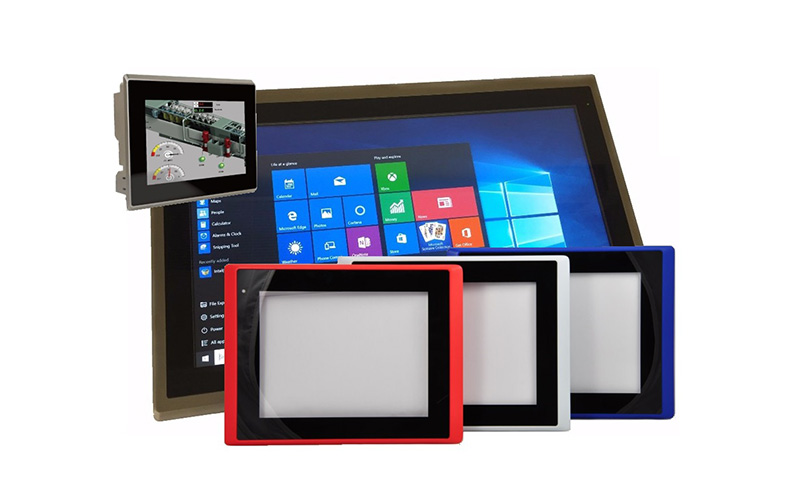
Knowing your IP ratings could mean the difference between uptime and frequent replacements.
Ingress Protection (IP) ratings specify how well a display is sealed against dust and water. Higher ratings equal better protection, which is crucial in harsh environments.
The IP rating is a global standard. For example:
IP65: Dust tight and protected against water jets (ideal for outdoor kiosks)
IP67: Waterproof up to 1m submersion (suitable for washdown areas)
IP69K: Withstands high-pressure, high-temperature spray (used in food & beverage)
Beyond IP, look for:
NEMA Ratings (U.S. equivalent for enclosures)
MIL-STD-810G (Shock, vibration, altitude resistance)
EMC Certifications (For electronic noise environments)
Devices not certified to at least IP65 often fail in less than 12 months when used outdoors or in dusty factories.
MIL-STD-810G-certified screens experience 50% fewer mechanical failures in transportation or military sectors.
Every rugged display application has its own requirements—but some sectors rely on them more than others.
Whether it’s mining, military, marine, or food production, different industries impose unique challenges on LCD displays. Choosing the wrong display costs more in repairs and downtime than the initial investment.
Key industries where industrial LCDs thrive:
Manufacturing: High vibration, heat, and particulate exposure
Medical: Clean rooms, high contrast needs, antibacterial surfaces
Transportation: Shock, power fluctuation, sunlight readability
Marine: Salt spray resistance, anti-fog features
Military: Requires rugged build and portable formats
Retail & Kiosks: Brightness and vandal-resistance
XIANHENG, for instance, supplies to over 60 countries, focusing on automotive, gaming, and kiosk applications, offering products with 30K–50K hour lifespans and customized touch options.
Up to 40% of field service costs in industrial settings are related to screen failure from environmental misalignment.
Companies with rugged display integration see a 30% drop in device-related downtime.
Choosing an industrial LCD display with a touchscreen for harsh environments goes beyond resolution and screen size. The most important criteria are:
Touch panel compatibility with gloves or contaminants
Environmental durability through IP and MIL-STD ratings
Clarity and brightness in unpredictable lighting
Industry-specific features like salt resistance or EMI shielding
For manufacturers like XIANHENG, specializing in customizable, reliable TFT LCDs and resistive/capacitive touchscreens, the emphasis is on matching the right display to the right environment. Their expansive product line, combined with over 10 years of experience, makes them a strong OEM partner for global buyers looking for both quality and cost-effectiveness.


